
How to Align the Beater on a Stand Mixer?
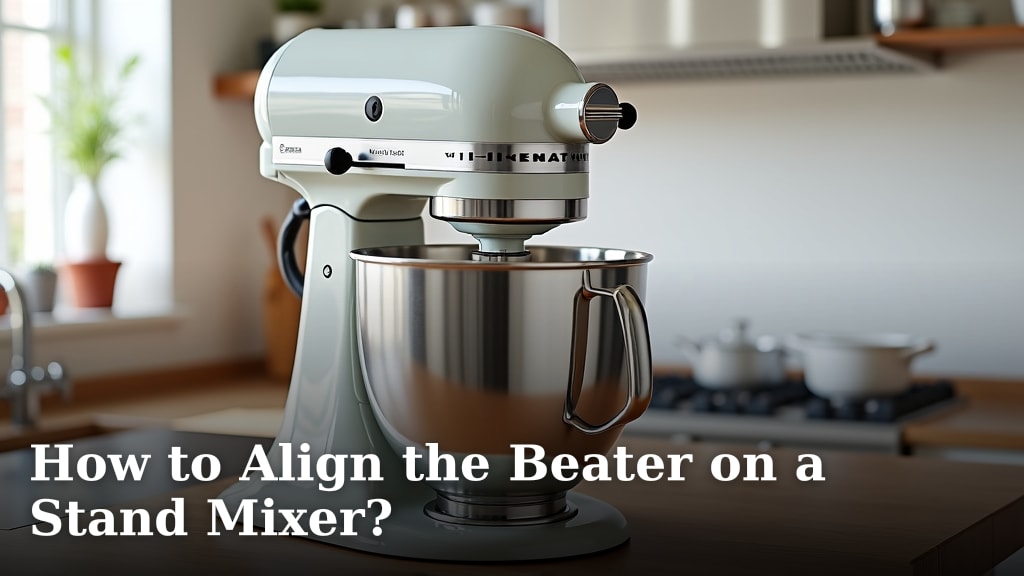
Aligning your stand mixer’s beater is easier than you think. You can often adjust it yourself by simply tightening or loosening a single screw. This simple fix ensures your mixer performs at its best and scrapes the bowl effectively.
A beater that’s too high won’t mix ingredients properly. A beater that’s too low can scrape the bottom and damage your bowl. Getting this alignment just right makes a big difference in your baking and cooking results.
- Why align your beater? To ensure thorough mixing.
- Where is the adjustment screw? Usually on the beater arm.
- What tool do you need? Often a screwdriver.
- What are the signs it’s off? Ingredients stuck to the bowl bottom or sides.
- What happens if it’s wrong? Poorly mixed batters or damaged bowls.
Let’s walk through exactly how to get your stand mixer’s beater perfectly aligned. We found the process is quite straightforward, and you’ll be back to perfect mixing in no time.
Getting Your Stand Mixer Beater Just Right
If your stand mixer isn’t mixing like it used to, the problem might be a simple alignment issue. Don’t worry, you don’t need to be a repair expert. We found that most mixers allow for easy adjustment. This guide will help you get your beater back to its perfect position.
A beater that’s off can leave you with lumps in your batter or scrape your bowl. We’ll show you how to check your current setup and make the necessary tweaks. It’s usually just a matter of a few minutes and one small screw.
Why Beater Alignment Matters for Your Baking
Your stand mixer is designed for efficiency. The beater needs to be at the right height to scrape the sides and bottom of the bowl effectively. This ensures all ingredients are incorporated evenly.
Think of it like a car’s wheel alignment. If it’s off, the car won’t drive smoothly. Similarly, if your beater is misaligned, your mixing won’t be smooth. We found this directly impacts the final texture of your baked goods.
The Impact of a Misaligned Beater
When the beater is too high, it won’t reach the ingredients at the bottom. This leads to unmixed flour or sugar clumps. You might end up with a batter that’s unevenly mixed. Many bakers report having to stop and scrape the bowl manually.
On the flip side, a beater that’s too low can be a bigger problem. It might constantly scrape against the bowl. This can cause wear and tear on both the beater and the bowl. Some ceramic or glass bowls can even chip from this constant friction.
Signs Your Beater Needs Adjustment
How can you tell if your beater is out of alignment? There are a few tell-tale signs. You might notice unmixed ingredients clinging to the bottom of the bowl. Even after several minutes of mixing, you still see pockets of dry ingredients.
Another sign is if you can hear the beater scraping or grinding against the bowl. This is especially true for metal bowls. If your mixer sounds unhappy, it’s worth investigating. We found that paying attention to these sounds can save you trouble.
Locating the Adjustment Screw
The next step is finding that all-important adjustment screw. It’s usually located on the head of the mixer arm. This is the part that pivots up and down.
Most KitchenAid models have this screw accessible on the side or back of the mixer head. Other brands may vary slightly. We found that consulting your owner’s manual can be very helpful if you can’t find it.
Finding the Screw on Common Brands
For many popular brands, like KitchenAid, the screw is often a Phillips head screw. It’s usually located on the pivot point where the beater arm connects to the motor housing. You might need to remove a small cap or cover to access it.
We found that some older models might have a different type of fastener. If you have a vintage mixer, it might require a different tool. Don’t force anything if it doesn’t look right. A quick search for your specific model’s manual online can provide a clear diagram.
What Tool Will You Need?
Typically, you’ll need a screwdriver. For most KitchenAid mixers, a Phillips head screwdriver is the go-to tool. Some models might use a flathead screwdriver. It’s usually a common size, so you likely have it in your toolbox.
If you’re unsure about the size, it’s best to have a small set of screwdrivers handy. We recommend having both Phillips and flathead screwdrivers in various small sizes. This ensures you’re prepared for most common adjustments.
The Beater Alignment Process: Step-by-Step
Now, let’s get down to business. You’ll want to start with the mixer bowl and beater in place. This allows you to see the gap between the beater and the bowl.
Make sure your mixer is unplugged for safety before you start making any adjustments. We can’t stress this enough! It’s a simple step but incredibly important for avoiding accidents.
Step 1: Preparing Your Mixer
First, remove the beater from the mixer. You can usually do this by twisting it and pulling it down. Next, attach the beater again, making sure it’s securely locked in place.
Place your mixer bowl onto the base. You might want to put a small amount of flour or a similar dry ingredient in the bowl. This helps visualize the gap more clearly. We found this trick makes it much easier to see if the beater is too high or too low.
Step 2: Checking the Current Alignment
Now, you can plug in your mixer. Turn it on to a low speed, like speed 2 or 4. Observe the beater as it spins. Does it hit the bowl? Does it leave a large gap at the bottom?
You’re looking for a small, consistent gap. Ideally, the beater should be about the thickness of a dime away from the bottom of the bowl. Many manufacturers recommend this spacing. We found that a tiny gap is often all you need.
Step 3: Making the Adjustment
Turn off and unplug your mixer again. Now, locate that adjustment screw we talked about. You’ll need your screwdriver.
If the beater is too low and scraping, you need to turn the screw clockwise. This will raise the beater slightly. If the beater is too high and leaving unmixed ingredients, turn the screw counter-clockwise. This lowers the beater.
Make small adjustments, like a quarter turn at a time. After each adjustment, re-attach the beater, place the bowl, plug in the mixer, and run it on low speed again to check. Repeat this process until the gap is just right.
Step 4: Testing the Alignment
Once you think you’ve found the sweet spot, it’s time for a final test. Use your mixer to whip up something simple, like a small batch of cookie dough or cake batter. Pay attention to how it mixes.
Does the beater efficiently gather all the ingredients from the bottom and sides? Does it seem like everything is mixing evenly? We found that a successful test run means your alignment is likely perfect!
| Problem | Sign | Solution | Adjustment Direction |
|---|---|---|---|
| Beater too low | Scraping sound, bowl wear | Raise the beater | Turn screw clockwise |
| Beater too high | Unmixed ingredients at bottom | Lower the beater | Turn screw counter-clockwise |
| Perfect alignment | Even mixing, no scraping | Maintain current setting | No adjustment needed |
Troubleshooting Common Issues
What if you make adjustments and it still doesn’t seem right? Don’t get discouraged! Sometimes it takes a few tries.
The Screw Won’t Turn or Is Stripped
If the adjustment screw is difficult to turn, it might be rusted or have debris in it. Try applying a small amount of penetrating oil, like WD-40, and letting it sit for a while. If the screw head is stripped, you might need a screw extractor tool.
In some cases, especially with very old mixers, the adjustment mechanism might be worn out. If you’ve tried everything and it’s still not working, it might be time to contact the manufacturer or a repair service. Many experts suggest that a stripped screw is a clear sign it’s time for professional help (Appliance Repair Association).
Beater Still Not Reaching Ingredients
Even after adjusting, if your beater still doesn’t seem to reach the bottom, double-check a few things. Ensure you have the correct beater attachment for your mixer model. Some mixers come with different attachments for different tasks.
Also, make sure the beater is fully seated and locked into place. A loose beater will not function correctly. We found that users sometimes overlook the basic seating of the attachment itself.
Consulting Your Owner’s Manual
Your owner’s manual is your best friend here. It will have specific instructions for your mixer model. It can show you exactly where the adjustment screw is and how to use it.
If you’ve lost your physical manual, most manufacturers offer PDF versions on their websites. Searching for “[Your Mixer Brand and Model] owner’s manual” should bring it up. We found that these manuals often contain diagrams that are extremely helpful.
Quick Checklist for Beater Alignment
- Unplug your mixer before starting.
- Check for visible signs of misalignment (scraping, gaps).
- Locate the adjustment screw on the mixer head.
- Use the correct screwdriver for small adjustments.
- Test on a low speed after each turn.
- Aim for a dime-sized gap at the bowl bottom.
Conclusion
You’ve now learned how to get your stand mixer’s beater perfectly aligned! It’s a simple adjustment that makes a big difference in your baking. A properly aligned beater ensures thorough mixing and prevents damage to your bowl.
Remember, most issues can be fixed with a quick turn of a single screw. If you notice uneven mixing or scraping sounds, it’s time to check your alignment. Take a moment today to perform this quick check and ensure your mixer is working its best for all your future culinary creations!
Frequently Asked Questions
How often should I check my stand mixer’s beater alignment?
It’s a good idea to check your beater alignment about once a year, or whenever you notice your mixer isn’t mixing as effectively as it used to. You might also want to check it if you’ve recently moved the mixer or if it’s been dropped.
Can I use my stand mixer if the beater is slightly off?
While you can still mix ingredients, a slightly misaligned beater can lead to less consistent results. It might also cause unnecessary wear on your mixer and bowl over time. We found it’s best to fix it if you notice it’s not scraping properly.
What if my stand mixer doesn’t have an adjustment screw?
Some newer or more basic mixer models may not have an adjustable screw. In these cases, the beater height is factory-set. If you suspect an issue with a non-adjustable mixer, you may need to contact the manufacturer for assistance.
Is it safe to use a metal beater with a ceramic bowl?
Yes, it is safe if the beater is properly aligned. A beater that is too low, however, can chip or scratch a ceramic or glass bowl due to constant friction. Always ensure your beater has a slight gap.
My mixer is old. Can I still adjust the beater?
Many older stand mixers still have an adjustment screw and can be adjusted. Just be gentle, as older parts can be more brittle. If the screw is rusted or stuck, a little penetrating oil might help, but be cautious not to force it.
