
How to Fix a Stand Mixer That Stalls Under Heavy Dough?

When your stand mixer stalls with heavy dough, the fix is often about clearing obstructions or addressing motor strain. You can usually resolve this by checking the beaters, cleaning the bowl, or reducing the dough consistency. Sometimes, a simple motor reset or ensuring the mixer isn’t overloaded does the trick.
Dealing with a stalled mixer can be frustrating, especially when you’re in the middle of a bake. While it might seem like a serious issue, many common causes are surprisingly simple to fix. We found that understanding the common culprits helps you get back to baking quickly and protects your appliance from further damage.
- Check for obstructions around beaters and in the bowl.
- Reduce the amount of dough or its thickness.
- Clean any sticky residue from the mixer head and attachments.
- Allow the motor to cool down if it feels warm.
- Ensure you are using the correct attachment for the task.
Let’s walk through the most common reasons your stand mixer might be giving up the ghost under pressure, and how you can get it humming again.
Troubleshooting Your Stand Mixer When Heavy Dough Causes It to Stall
When your stand mixer starts to struggle with dense dough, it can feel like your baking dreams are on hold. But don’t worry, most stalling issues have simple solutions. You can often get your mixer back to work by checking a few key areas. We’ve researched common causes and found that addressing these can save your bake and your appliance.
Checking for Simple Obstructions
The most common reason for a mixer to stall is something physically blocking its movement. Think of it like trying to push a heavy box with a stick stuck in the wheels. Your mixer needs clear paths to work effectively.
Inspect the Beater and Bowl Clearance
First, turn off and unplug your mixer. Carefully examine the space between your beater (or dough hook) and the sides of the mixing bowl. Sometimes, a clump of dough can get wedged in here.
If you see thick dough stuck where it shouldn’t be, gently try to scrape it away with a spatula. Be careful not to force anything. A little nudge might be all it needs to spin freely again.
Make sure the bowl is properly locked into its base. If it’s slightly askew, the beater might not have enough clearance. You should hear a click when it’s correctly in place.
Clear Dough Buildup on Attachments
Dough hooks and beaters can accumulate sticky dough. This buildup can make them heavier and less efficient. It can also cause them to drag against the sides of the bowl.
Remove the attachment from the mixer. Use a spatula or a damp cloth to clean off any excess dough. Pay attention to the nooks and crannies where dough likes to hide. A clean attachment spins more easily.
We found that dried-on dough is much harder to remove. It’s best to clean your attachments right after use to prevent this.
Addressing Motor Strain and Overheating
Stand mixers have motors that can get tired, especially when working hard. Pushing them too far can lead to stalling, much like an athlete experiencing fatigue.
Is Your Mixer Overloaded?
Stand mixers are rated for specific capacities. Trying to mix a batch of dough that’s too large for your model is a common mistake. This puts immense strain on the motor.
Check your mixer’s manual for its recommended maximum capacity. If you’re consistently making large batches, consider dividing them into smaller loads. This is often the easiest way to prevent stalling.
We found that dense doughs like sourdough or whole wheat are particularly taxing. They require more power and can overload a mixer faster than lighter batters. Reducing the recipe size is key.
Allowing the Motor to Cool Down
If your mixer feels unusually warm to the touch, the motor might be overheating. Most stand mixers have thermal protection that will cause them to shut down or stall to prevent damage.
Immediately turn off and unplug the mixer. Let it rest for at least 20-30 minutes. This gives the motor time to cool down completely.
While it’s cooling, clean out the bowl and attachments. This prepares you to try again with a fresh start. Sometimes, a short break is all the repair needed.
Checking the Mixer Head and Gear Lubrication
The internal gears of your stand mixer need proper lubrication to run smoothly. If the grease has dried out or become contaminated, it can create friction.
This friction makes it harder for the motor to turn the beaters, especially under load. While lubricating the gears yourself can be complex, some manufacturers offer services for this. Check your manual for guidance.
Many experts suggest that annual lubrication can extend the life of your mixer. If your mixer is several years old and has been used frequently, this might be a factor.
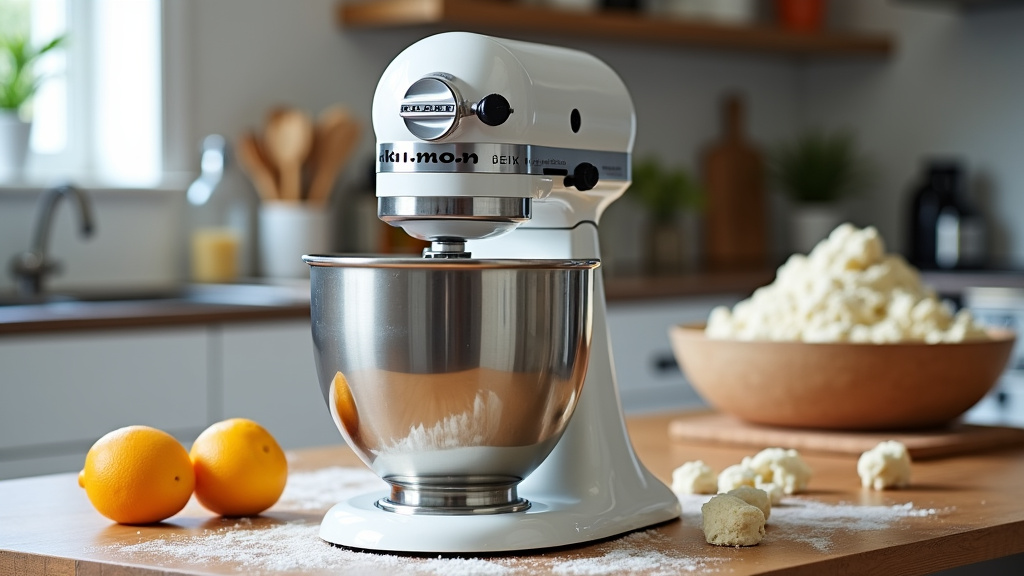
Ensuring Proper Dough Consistency and Technique
Sometimes, the problem isn’t the mixer itself, but how the ingredients are combined. The consistency of your dough plays a huge role.
Adjusting Dough Thickness
If your dough is too stiff or dry, it will be incredibly hard for the mixer to knead or mix. This is a prime cause of stalling.
Try adding a tablespoon of liquid (water, milk, or oil) at a time while the mixer is on a low speed. Mix until the liquid is incorporated. Continue adding small amounts until the dough starts to come together and the mixer can move it more easily.
We found that it’s easier to add liquid than to take it away. So, start with small additions and see how the dough responds. You want a dough that is slightly sticky but manageable.
Using the Correct Attachment for the Job
Stand mixers come with different attachments for different tasks. Using the wrong one can lead to problems. For instance, using a whisk for a thick bread dough would be a recipe for disaster.
Bread dough typically requires the dough hook. Cookie doughs and cake batters often work best with the flat beater or paddle attachment. Whipped cream or egg whites need the whisk attachment.
Always refer to your mixer’s manual to ensure you’re using the appropriate attachment for your recipe. Using the correct tool ensures the mixer operates efficiently and prevents unnecessary strain.
Quick Troubleshooting Checklist
Here’s a quick rundown to get your mixer back in action:
- Unplug: Always turn off and unplug your mixer before checking anything.
- Check Clearance: Ensure beater/hook has space around it and the bowl is locked.
- Clean Attachments: Remove and clean any sticky dough buildup.
- Assess Batch Size: Are you overloading the mixer? Consider a smaller batch.
- Feel for Heat: If the motor feels warm, let it cool down completely.
- Add Liquid Slowly: If dough is too stiff, add liquid a tablespoon at a time.
Conclusion
Getting your stand mixer back to its full power after stalling with heavy dough is often simpler than you think. We’ve seen that the key lies in checking for simple obstructions, ensuring your mixer isn’t overloaded, and paying attention to dough consistency. By regularly cleaning your attachments and allowing your motor to cool when needed, you can prevent many common issues.
Don’t let a temporarily stalled mixer disrupt your baking. Next time your mixer struggles, systematically work through these checks. You’ll likely find a quick fix and get back to creating delicious treats in no time.
Frequently Asked Questions
My stand mixer suddenly stopped working with bread dough. What’s the first thing I should check?
Always unplug your mixer first. Then, check the space between your dough hook and the bowl. Often, a thick clump of dough can get wedged, causing the mixer to stop. Gently remove any obstruction and ensure the bowl is securely locked.
Is it normal for my stand mixer to get warm when mixing stiff dough?
It’s normal for the motor to get a little warm with heavy loads. However, if your mixer feels excessively hot to the touch, it might be overheating. Unplug it immediately and let it cool down for at least 20-30 minutes before trying again.
How can I tell if I’m overloading my stand mixer?
Check your mixer’s manual for its maximum capacity, especially for dough. If your dough seems very stiff, difficult to move, or if the mixer is straining audibly, you might be overloading it. Consider dividing your dough into smaller batches.
What should I do if my dough is too dry and the mixer is struggling?
If your dough is too stiff, it’s hard for the mixer to work. While the mixer is on a low speed (and you’ve unplugged it to add liquid), slowly add a tablespoon of water or your liquid of choice at a time. Mix until incorporated, repeating until the dough loosens up.
My mixer seems fine, but it still stalls with certain recipes. Could it be the attachments?
Yes, using the wrong attachment can cause strain. Ensure you’re using the dough hook for bread dough, the flat beater for cookie dough, and the whisk for lighter batters. Using the correct tool prevents unnecessary stress on your mixer’s motor.
