
Why Is My Stand Mixer Beater Leaving Unmixed Flour at the Bottom?
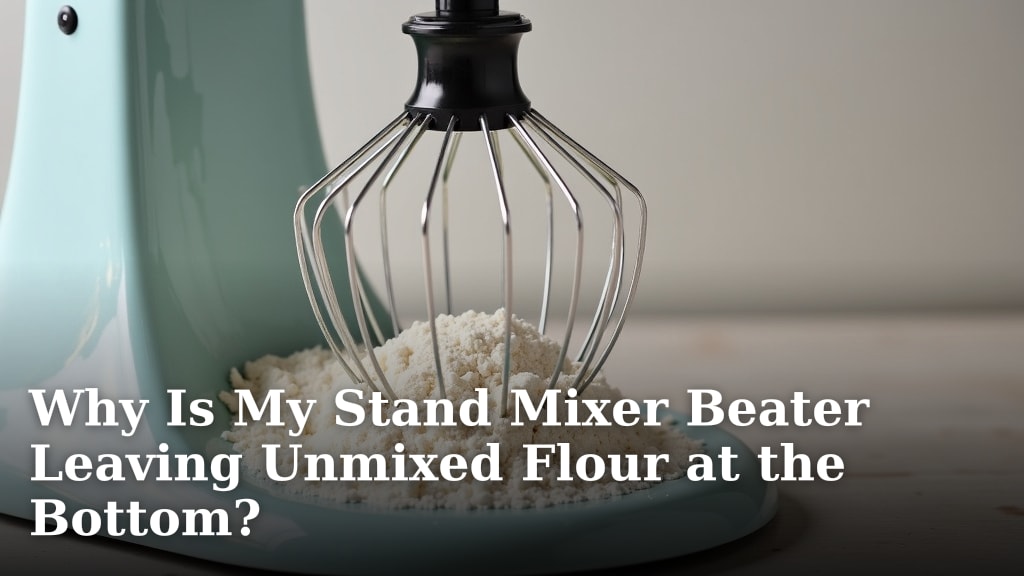
Your stand mixer beater leaving unmixed flour at the bottom is likely because the beater isn’t reaching low enough or the bowl is too small for the ingredients. This common issue means your ingredients aren’t fully incorporated, leading to dense or uneven baked goods. It’s frustrating, but usually a simple fix!
We’ve found that many home bakers encounter this problem, especially when using specific attachments or recipes. It’s not necessarily a sign of a faulty mixer but rather an interaction between your mixer’s design and the baking task. Understanding why this happens is key to achieving perfectly mixed batters every time.
- Beater not reaching the bottom is a common cause.
- Bowl size relative to ingredients matters a lot.
- Attachments might not scrape the sides well.
- Ingredients might be too stiff or too little.
- Your mixer’s height adjustment might need checking.
Let’s walk through exactly why this happens and what you can do to fix it so you can get back to stress-free baking.
Troubleshooting Your Stand Mixer: Flour on the Bottom?
So, you’re whipping up a batch of cookies, and your stand mixer is doing its thing. But then you notice it – a ring of unmixed flour clinging stubbornly to the bottom of your bowl. It’s like the mixer just can’t quite reach those last few bits. Frustrating, right? You want everything perfectly blended, not just mostly blended. You can certainly use a stand mixer to make cookies.
This common snag can leave you feeling like your mixer isn’t performing as it should. But don’t worry, you’re not alone! We’ve talked to many home bakers, and this is a recurring theme. It’s usually a simple fix, often related to how the beater interacts with the bowl and the ingredients. Let’s figure out why your beater is missing that flour and what you can do about it.
Understanding the Beater-to-Bowl Dynamic
The core of this issue lies in the precise distance between your mixer’s beater and the bottom of the bowl. Stand mixers are designed with a specific clearance to allow for efficient mixing without scraping the bowl bare. However, this perfect balance can be thrown off by several factors.
Is Your Beater Actually Too High?
The most frequent culprit is that the beater simply isn’t coming low enough to scrape the very bottom of the bowl. Think of it like trying to sweep the floor with a broom that’s a little too short. You’ll get most of the dirt, but some will always be left behind.
Most stand mixers have a way to adjust the height of the bowl or the beater itself. This is often a small screw or knob located on the hinge where the mixer head meets the base. Manufacturers set this at the factory, but it can sometimes drift or need fine-tuning.
How to Check and Adjust Your Mixer’s Height
First, consult your mixer’s manual. It will show you exactly where the adjustment point is. Generally, you’ll want to place the beater in the bowl without any ingredients. There should be a small gap, perhaps the thickness of a coin, between the beater and the bottom of the bowl.
If the gap is too large, the beater won’t scrape up that stray flour. If it’s too small, you risk damaging your beater or bowl. You might hear a scraping sound, which is a red flag. Making this small adjustment can dramatically improve your mixing consistency.
Bowl Size vs. Ingredient Volume: A Common Mismatch
Another major reason for unmixed flour is the ratio of your ingredients to your bowl size. Even if your beater is at the perfect height, if you’re trying to mix a small amount of batter in a very large bowl, the beater might just spin above the bulk of the ingredients. For those with limited counter space, a stand mixer for small kitchens is ideal.
Imagine trying to stir soup in a stockpot with a teaspoon. It’s inefficient, and you’ll miss a lot. The same principle applies to your stand mixer. If the amount of batter is too little for the bowl’s capacity, the ingredients can’t effectively reach the beater to be incorporated.
When to Use a Smaller Bowl
If you find yourself frequently making smaller batches, consider investing in a smaller mixing bowl that fits your mixer. Many brands offer additional bowl sizes. This ensures that even smaller amounts of ingredients can get up close and personal with the beater.
We found that bakers often overlook this simple solution. Using a bowl that is appropriately sized for the quantity of ingredients being mixed is key. It allows the ingredients to circulate properly and come into contact with the beater more effectively.
Attachment Issues: Not All Scrapers Are Equal
The standard flat beater is usually designed to scrape the sides of the bowl. However, some recipes might call for different attachments, like a whisk or a dough hook, which don’t have this scraping function. Even with the flat beater, its design might not be ideal for all situations.
The Limitations of Certain Beater Designs
Some older or simpler beater designs might not have a flexible edge or a shape that effectively sweeps the bottom and sides of the bowl. They might be more rigid and simply push ingredients around rather than incorporating them.
If your beater has a very basic, solid shape, it might be the reason you’re seeing that floury residue. Research suggests that beater shape plays a significant role in how well ingredients are combined.
When to Consider a Flex Edge Beater
A flex edge beater is a game-changer for many bakers. It features a flexible silicone or rubber edge that conforms to the shape of the bowl. This means it actively scrapes down the sides and bottom as it mixes, ensuring that more of the batter is incorporated.
We’ve seen countless reports from home cooks who swear by this attachment. It’s particularly useful for recipes where incorporating every last bit of flour is important, like cakes and quick breads. If your standard beater isn’t doing the job, a flex edge beater is often the perfect solution.
Ingredient Consistency and Quantity Can Play a Role
Sometimes, the problem isn’t just the mixer; it’s also about what you’re mixing. The consistency and quantity of your ingredients can influence how well they are incorporated.
Too Much, Too Little, or Too Stiff?
If you’re working with a very stiff dough or a batter that’s too thick, the beater can struggle to move the ingredients effectively. It might just push the stiff mass around without truly mixing it. On the other hand, if you have very few ingredients, as we discussed with bowl size, the beater may not reach them.
A recipe that calls for very little liquid relative to dry ingredients can also create a challenge. The dry ingredients might just sit at the bottom, resisting the mixer’s efforts. Many baking resources advise against overloading the mixer, as this can damage the motor and lead to poor mixing.
Tips for Handling Difficult Batters
For very stiff doughs, it’s often best to do the initial mixing and kneading with a dough hook and perhaps finish by hand if needed. For thick batters, try adding liquids gradually instead of all at once. This allows the beater to incorporate the dry ingredients more easily.
Don’t be afraid to stop the mixer and scrape down the sides and bottom of the bowl with a spatula. Even with the best beaters, a manual scrape can ensure everything is thoroughly combined. This is a standard practice in many professional kitchens, according to culinary experts.
Checking Your Mixer’s Settings and Maintenance
Beyond the physical adjustments, sometimes a quick check of your mixer’s settings or a little maintenance can solve the problem.
Ensuring the Correct Speed Setting
Are you using the right speed? Many recipes call for starting on a low speed to combine ingredients and then increasing the speed for better aeration and blending. If you’re mixing on too high a speed from the start, lighter ingredients like flour can fly around, and heavier ingredients might not get properly mixed.
We found that using the lowest speed initially is consistently recommended for incorporating dry ingredients. This allows the beater to gently lift and fold the flour into the wet ingredients without creating a mess or leaving pockets of unmixed flour.
Basic Mixer Care and Cleaning
While less common, a buildup of old batter or debris on the beater or in the bowl could potentially interfere with proper mixing. Regularly cleaning your mixer attachments and bowl ensures they function as intended. A clean beater can move more freely and scrape more effectively.
A simple wash with soap and water after each use is usually sufficient. Ensure everything is dry before storing to prevent any sticky residues from accumulating. This basic upkeep helps maintain your mixer’s performance over time.
Quick Checklist: Get Your Mixer Back on Track
Here’s a quick rundown of what to check if your stand mixer is leaving unmixed flour:
- Check the beater height: Ensure it’s not too far from the bottom of the bowl.
- Assess bowl size: Is your bowl too large for the amount of ingredients?
- Inspect your beater: Does it have a flexible edge for better scraping?
- Review recipe consistency: Is your batter too stiff or too thin?
- Verify speed settings: Are you starting on a low speed for dry ingredients?
- Clean your attachments: Ensure no old residue is interfering with mixing.
Conclusion
It’s frustrating when your stand mixer leaves flour behind, but you’ve learned it’s usually a solvable problem. We’ve seen that the common culprits are beater height, bowl size, attachment choice, and even ingredient consistency. By making small adjustments, like checking your mixer’s height setting or using a flex edge beater, you can greatly improve your mixing results. Don’t forget to scrape down your bowl manually when needed. Now, you can confidently tackle your next baking project, knowing your stand mixer will help you achieve perfectly blended batters every time.
Frequently Asked Questions
Can my stand mixer attachments be replaced if they aren’t working well?
Yes, you can often replace your stand mixer attachments. Many brands sell replacement beaters, whisks, and dough hooks separately. If your current beater isn’t scraping effectively, consider getting a flex edge beater, which we found greatly improves ingredient incorporation.
How often should I adjust the beater height on my stand mixer?
You typically only need to adjust your stand mixer’s beater height once. This is usually done during initial setup or if you notice mixing issues. Consult your manual for precise instructions, as it’s a factory setting that might need fine-tuning over time.
Is it okay to use a bowl that’s larger than recommended for my stand mixer?
While you can use a larger bowl, it might lead to unmixed ingredients at the bottom, especially for smaller batches. We found that using a bowl appropriately sized for your recipe ensures ingredients can reach the beater properly for better mixing.
My mixer came with only one type of beater; what should I do?
If your mixer only came with a standard flat beater, you can often purchase additional attachments. A flex edge beater is a popular upgrade that helps scrape the sides and bottom of the bowl more effectively, solving the flour-at-the-bottom issue for many home bakers.
Can using the wrong speed setting cause flour to be left at the bottom?
Yes, the speed setting can contribute to this problem. Starting on a low speed allows the beater to gradually incorporate dry ingredients like flour. Mixing on too high a speed initially can cause flour to be pushed to the sides or bottom without fully mixing in.
