
Can You Attach a Meat Grinder to Any Stand Mixer?
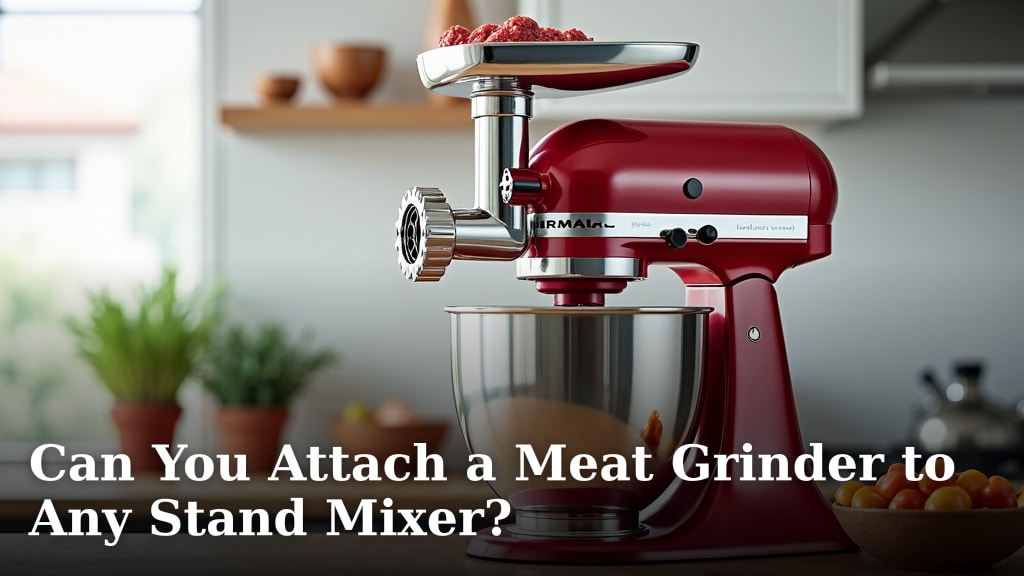
Yes, you can often attach a meat grinder to many stand mixers, but it’s not a universal fit. Most major brands, like KitchenAid, offer specific grinder attachments designed for their machines. You’ll need to ensure the attachment is compatible with your specific mixer model, as they often attach via the power hub.
Attaching a meat grinder can transform your stand mixer into a versatile kitchen tool. It’s a popular way to get fresh, homemade ground meat for everything from burgers to sausages. However, **compatibility is key** to avoid disappointment or damage to your appliance. Not all mixers are created equal when it comes to add-ons.
- Most stand mixers can use a meat grinder attachment.
- You must check for brand compatibility first.
- Attachments usually connect to the mixer’s power hub.
- Ensure the specific grinder model fits your mixer’s make and model.
Let’s get into the details and help you figure out if your stand mixer is ready to become a grinding machine.
Grinding Your Own Meat: Attaching a Grinder to Your Stand Mixer
So, you’re thinking about grinding your own meat? That’s a fantastic idea for fresher burgers and homemade sausages! Many home cooks wonder if their trusty stand mixer can handle this task. The short answer is: often, yes, but with some important conditions.
Your stand mixer is a workhorse in the kitchen. It whips, kneads, and mixes. Adding a meat grinder attachment can expand its capabilities even further. We’re here to help you figure out if your specific mixer is up to the job. Let’s get started.
Understanding Stand Mixer Attachments
Stand mixers are designed with versatility in mind. They typically have a power hub. This is where most attachments connect. Think of it as the brain or the engine for add-ons. This hub powers a variety of tools, from pasta makers to ice cream bowls.
Meat grinder attachments are designed to fit into this power hub. They use the mixer’s motor to turn the grinding mechanism. This makes the process much easier than manual grinding. It’s a smart way to get more use out of your appliance.
The Role of the Power Hub
The power hub is usually located at the front of the mixer head. You’ll often see a small cover plate there. This cover hides the drive shaft. When you attach a grinder, you remove this plate. The grinder’s mechanism then couples with the drive shaft. This is how the mixer’s power gets to the grinder.
The design of this power hub is standardized by some manufacturers. This allows for a range of compatible attachments. However, not all stand mixers share the exact same hub design. This is where compatibility issues can arise.
Brand-Specific vs. Universal Attachments
Most meat grinder attachments are brand-specific. For example, KitchenAid makes its own grinder attachments for its stand mixers. Cuisinart also has attachments for its stand mixers. These are engineered to fit their specific mixer models perfectly.
You might see some third-party attachments advertised as “universal.” While some might claim to fit multiple brands, it’s wise to be cautious. Universal doesn’t always mean a perfect fit. A snug, secure connection is essential for safe and effective grinding.
Checking for Compatibility: The Key Steps
Before you buy a meat grinder attachment, you absolutely must check its compatibility. This is the most important step. You don’t want to end up with a grinder that doesn’t fit your mixer. That would be frustrating and could even damage your appliance.
Here’s how you can ensure you get the right attachment for your stand mixer.
Identify Your Stand Mixer Model
First, you need to know the exact make and model of your stand mixer. This information is usually found on the bottom or back of the mixer. Look for a label or a plate with the model number. For KitchenAid, it might be something like KSM150PSER or Artisan Series.
Knowing your model number is critical. It helps you or a sales associate find the correct attachment. If you can’t find it, check your mixer’s original manual or packaging. Sometimes, the serial number can also help identify the model.
Consult the Attachment Manufacturer’s Guide
Once you know your mixer model, consult the meat grinder attachment’s specifications. The manufacturer will provide a list of compatible stand mixer models. This is usually on the product packaging or the manufacturer’s website. You’ll often find a table or a clear list.
For instance, a KitchenAid grinder attachment will list which KitchenAid mixer series it works with. They typically fit most tilt-head models and some bowl-lift models. Always double-check this information.
Understanding Different Mixer Designs
Stand mixers come in a few main designs. The most common are tilt-head and bowl-lift models. Tilt-head mixers have a head that tilts back for access to the bowl. Bowl-lift mixers have a bowl that rises and lowers on a frame.
Attachment compatibility can sometimes differ between these designs. For example, some older bowl-lift models might not have a compatible power hub. Or, the hub might be designed differently. It’s vital to confirm your mixer’s design and the attachment’s compatibility with it.
What If My Mixer Isn’t Compatible?
It’s possible your stand mixer might not be compatible with a grinder attachment. This can happen if you have a very old model, a mini version, or a brand that doesn’t offer attachments. Don’t worry, you still have options.
Consider an Electric Standalone Grinder
If your stand mixer isn’t compatible, an electric standalone meat grinder is a great alternative. These are machines designed solely for grinding meat. They often come with various grinding plates and attachments for different textures and sausage making.
Many standalone grinders are quite powerful. They can handle larger batches of meat efficiently. They don’t require a stand mixer at all, making them a self-contained solution. You can find them in various sizes and price points to suit your needs.
Manual Grinders for Small Batches
For very small batches or if you enjoy a bit of hands-on kitchen work, a manual meat grinder is an option. These attach to your countertop or table with a clamp. You then turn a crank to grind the meat.
Manual grinders are affordable and don’t require electricity. They are fun to use and can be a great way to connect with traditional cooking methods. However, they do require more physical effort and are best for smaller amounts of meat.
Tips for Using Your Stand Mixer Meat Grinder Attachment
Once you’ve confirmed your mixer is compatible and you have the right grinder attachment, there are a few tips to make the process smooth.
Prepare Your Meat Properly
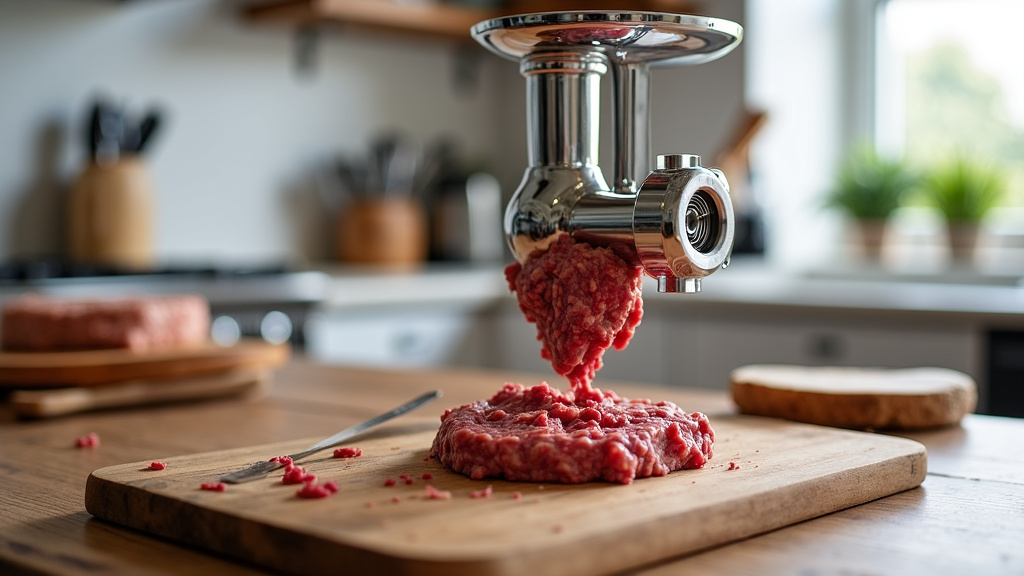
Start with well-chilled meat. This is crucial for clean grinding. Cut the meat into cubes that are about 1 to 1.5 inches. This size helps the grinder feed the meat easily. Remove any large sinews or connective tissue before cubing.
You might want to freeze the meat cubes for about 20-30 minutes before grinding. This makes them firmer and easier to process. It also helps prevent the meat from smearing rather than grinding.
Chill Your Grinder Parts
Just like the meat, chilling your grinder parts can help. Put the grinding plates, auger, and feed tube in the freezer for about 20-30 minutes beforehand. This helps keep the meat cold throughout the grinding process.
Keeping everything cold prevents the fat from smearing. It results in a cleaner grind. This is especially important if you’re grinding fattier cuts of meat.
Don’t Overload the Mixer
Even with a compatible attachment, avoid overloading your stand mixer or the grinder. Grind meat in manageable batches. If the motor sounds like it’s struggling, stop and give it a break. This protects your mixer’s motor.
Many experts suggest alternating between lean and fatty meat if you’re grinding a mix. This helps the grinder stay lubricated. It also prevents the mechanism from getting clogged. Follow the manufacturer’s instructions for maximum load capacity.
Clean Up Promptly
Meat grinders have many small parts that can be difficult to clean. It’s best to clean the grinder immediately after use. Disassemble all the parts and wash them by hand with warm, soapy water. Some parts might be top-rack dishwasher safe, but always check the manual.
Make sure to dry all parts thoroughly before reassembling or storing them. Any moisture left behind can lead to rust, especially on metal grinding plates and blades. Proper cleaning ensures the longevity of your attachment.
A Quick Checklist for Grinder Attachment Compatibility
Here’s a simple way to remember what to check:
- Know your mixer model: Find the exact make and model number.
- Check the attachment guide: Does the grinder manufacturer list your mixer?
- Confirm mixer design: Is it a tilt-head or bowl-lift model?
- Review hub compatibility: Ensure the power hub connection matches.
- Read reviews: See what other users with similar mixers say.
- Consult the manual: Your stand mixer manual might have attachment info.
Conclusion
So, can you attach a meat grinder to just any stand mixer? We’ve found that while many mixers can be equipped with a grinder, it’s never a guarantee. The key lies in understanding your mixer’s power hub and ensuring the attachment is designed for your specific model. Always check brand compatibility and your mixer’s design – tilt-head versus bowl-lift – before you buy. If your current mixer isn’t the right fit, don’t despair; standalone electric or manual grinders are excellent alternatives. Ready to give it a try? Your next step is to identify your mixer’s exact model number and then check the attachment manufacturer’s compatibility list.
Frequently Asked Questions
Will a KitchenAid meat grinder attachment fit my Cuisinart stand mixer?
Generally, no. Most meat grinder attachments are made to fit a specific brand of stand mixer. A KitchenAid attachment is designed for KitchenAid mixers, and a Cuisinart attachment is for Cuisinart mixers. You’ll need to purchase an attachment made for your mixer’s brand.
Can I use a third-party “universal” meat grinder attachment?
You can, but proceed with caution. While some universal attachments claim to fit multiple brands, their fit might not be as secure or efficient as a brand-specific one. Always thoroughly research reviews and confirm the hub connection details before purchasing a universal attachment to avoid potential issues.
What if my stand mixer is too old to have a compatible grinder attachment?
If your mixer is an older model or doesn’t have a compatible attachment available, you still have great options. Consider purchasing an electric standalone meat grinder or a manual meat grinder. These are designed to work independently and can be very effective.
How do I know if my stand mixer has a power hub for attachments?
Most modern stand mixers, especially those from major brands like KitchenAid and Cuisinart, feature a power hub. You’ll typically find it at the front of the mixer head, often covered by a small plate. This hub is where various attachments, including meat grinders, connect and are powered by the mixer’s motor.
Is it safe to use a meat grinder attachment on a smaller, personal-sized stand mixer?
It’s unlikely. Smaller or mini stand mixers usually lack the powerful motor and the standardized power hub required to operate a meat grinder attachment safely and effectively. Meat grinding requires significant torque, which these compact models typically don’t provide. Always check the manufacturer’s specifications for both your mixer and the grinder attachment.
