
How to Swap Attachments on a Stand Mixer?
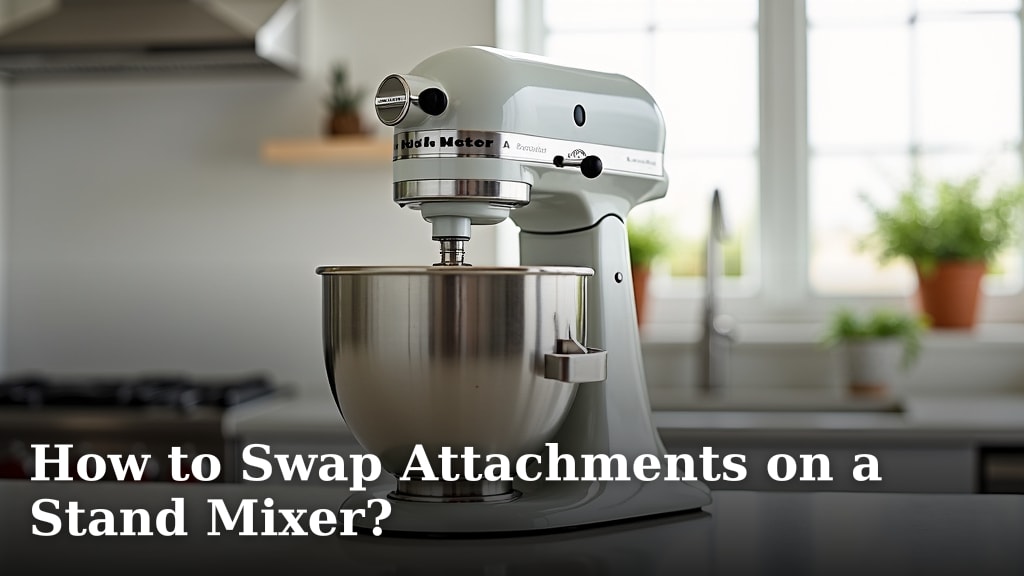
Swapping attachments on your stand mixer is a quick and easy process that enhances its versatility. You simply need to unlock the attachment hub and slide the old attachment out, then push the new one in until it clicks. It’s a straightforward way to switch from kneading dough to whipping cream in just moments.
Most stand mixers come with a standard set of attachments, but the real magic happens when you add more. From pasta makers to ice cream bowls, these accessories can transform your kitchen appliance into a culinary powerhouse. Knowing how to change them correctly ensures you can maximize your baking potential without any fuss.
- Unlock the attachment hub.
- Slide off the current attachment.
- Push in the new attachment until it locks.
- Secure the attachment with its pin or screw.
Ready to get your hands on some delicious creations? Below, we’ll walk you through the simple steps to swap out your stand mixer attachments like a pro.
You’ve got your stand mixer, a trusty sidekick in the kitchen. But did you know it can do so much more than just mix? The secret lies in its attachments. Swapping them out is like giving your mixer a whole new superpower. It’s a simple skill that unlocks a world of culinary possibilities. Let’s learn how to change them up so you can whip, knead, and create with ease. Learn how to properly clean stand mixer attachments to keep them in top condition.
Mastering the Art of Stand Mixer Attachment Swaps
Changing an attachment on your stand mixer is a super straightforward process. You’ll be switching from one tool to another in no time. It’s designed to be quick so you don’t lose your baking momentum. Let’s break down exactly what you need to do.
Understanding Your Mixer’s Attachment Hub
At the top of your stand mixer, you’ll see a special port. This is called the attachment hub. It’s where all the magic happens. Most mixers have a cover protecting this hub when it’s not in use. You’ll need to remove this cover first. Gently pull it off or it might unscrew. Some covers are magnetic, others snap on. Just check your mixer’s manual if you’re unsure.
Locating the Locking Mechanism
Once the hub is exposed, you’ll see the opening for the attachment. You’ll also notice a small pin or screw. This is what holds the attachment in place. It keeps the attachment from wiggling around while your mixer is running. You’ll need to disengage this pin or screw to remove the current tool. Many mixers have a lever or button right next to the hub. Pressing this usually releases the lock. Sometimes, you just need to turn a knob. We found that consulting your mixer’s manual is the fastest way to identify this exact spot.
The Step-by-Step Attachment Exchange
Now that you know where to look, let’s get down to business. Swapping attachments is a quick dance between you and your mixer. Follow these steps carefully, and you’ll be a pro in minutes.
Step 1: Power Down and Prepare
First things first: always turn off your stand mixer. Unplug it too, just to be safe. You don’t want your mixer to start up unexpectedly while you’re reaching into the hub. It’s a simple safety step that many experts recommend (Occupational Safety and Health Administration). Make sure the mixer is stable on your counter.
Step 2: Release the Current Attachment
Find that locking pin or screw you located earlier. Push the button or turn the knob to release it. You should feel a slight give. Now, gently pull the attachment straight out from the hub. It might take a little wiggle. Don’t force it. If it feels stuck, double-check that the lock is fully disengaged. We found that a steady, gentle pull usually does the trick.
Step 3: Insert the New Attachment
Take your new attachment. You’ll see it has a corresponding shaft that fits into the hub. Line up the shaft with the opening. Push it firmly into the hub. You should hear or feel a satisfying click when it’s fully seated. This click means it’s locked into place. If you don’t hear a click, keep pushing gently. It needs to be all the way in.
Step 4: Secure the Attachment
After inserting the new attachment, you need to secure it. This usually means pushing the locking pin back into its hole or tightening the screw. Some attachments have a small lever you need to flip. This ensures the attachment is firmly attached and ready for action. A secure attachment is key for safe and effective mixing.
Common Stand Mixer Attachments and Their Uses
Your stand mixer isn’t just for cakes. With the right attachments, it becomes a multi-talented kitchen appliance. Here are some of the most common ones you might encounter and what they’re great for. Knowing their purpose helps you choose the right one for your culinary task.
| Attachment | Primary Use | Best For |
|---|---|---|
| Flat Beater (Paddle) | Mixing and creaming | Cakes, cookies, frostings, mashed potatoes |
| Dough Hook | Kneading dough | Bread, pizza dough, pasta dough |
| Wire Whisk (Balloon Whisk) | Whipping and aerating | Meringues, whipped cream, light batters |
| Flex Edge Beater | Scraping and mixing | Butter, cream cheese frostings, batters with thick sides |
You can also find specialized attachments. These can include pasta rollers, meat grinders, ice cream makers, and even spiralizers. Each one expands what your mixer can do. Research shows that using the correct attachment can drastically improve results. It ensures ingredients are mixed evenly and efficiently. For instance, using a dough hook for bread dough is essential for developing gluten properly (King Arthur Baking Company). A wire whisk is designed to incorporate the maximum amount of air, which is vital for fluffy cakes or light meringues.
Troubleshooting Common Attachment Issues
Most of the time, swapping attachments is a breeze. But sometimes, you might run into a little hiccup. Don’t worry, these are usually easy to fix. We’ve gathered some common problems and their solutions to help you out.
Attachment Won’t Go In or Come Out
If an attachment feels jammed, the first thing to check is the locking pin. Is it fully retracted? Sometimes, it might get stuck halfway. Try wiggling the pin or pressing the release button again. Also, ensure you’re pulling the attachment straight out. Angling it can sometimes cause it to bind. If it’s a new attachment, make sure it’s the correct model for your mixer. Some brands have slight variations.
Attachment Feels Loose After Installation
A loose attachment is a big no-no. It can cause uneven mixing and potentially damage your mixer. After you hear the click and secure the pin, give the attachment a gentle shake. It shouldn’t wiggle. If it feels loose, remove it and reinsert it. Make sure you’re pushing it in with enough force to engage the locking mechanism fully. Some older mixers might have worn parts. If this is the case, a repair might be needed. Many sources suggest checking the fit of the attachment shaft in the hub for any visible damage or wear.
Missing Locking Pin or Screw
Oh no! If you’ve lost the pin or screw that secures the attachment, don’t operate the mixer. You can often order replacements directly from the mixer manufacturer. Check their website or customer service. For some models, a small, sturdy bolt from a hardware store might work in a pinch, but always try to get the official part. Safety first!
The Attachment Isn’t Working Correctly
Sometimes, the attachment goes in fine but doesn’t seem to be doing its job right. Is the wire whisk actually whipping? Is the dough hook actually kneading? Double-check that you’ve selected the correct speed setting on your mixer. Some attachments work best at specific speeds. For example, dough hooks are often used on low speeds, while whisks benefit from higher speeds. Also, ensure you’re not overloading the mixer. This is a common mistake that can affect performance.
Here’s a quick checklist to ensure your attachment swap goes smoothly every time:
- Always unplug the mixer before changing attachments.
- Confirm the locking pin is fully released before removing.
- Push the new attachment in until you hear a definite click.
- Secure the pin or screw firmly after insertion.
- Give the attachment a gentle tug to confirm it’s locked.
- Refer to your mixer’s manual if unsure.
By following these steps, you can confidently switch between different attachments. This means you’re always ready to tackle your next recipe. It’s a small skill that makes a big difference in your kitchen adventures. Happy mixing!
Conclusion
You’ve now mastered the simple yet essential skill of swapping attachments on your stand mixer. Remember to always power down and unplug your mixer before making any changes. With a quick release, slide, and secure, you can switch from kneading bread dough to whipping cream in moments. This ability truly transforms your mixer into a versatile kitchen workhorse. Your next baking project is just an attachment swap away, so go ahead and try that new recipe!
Frequently Asked Questions
How often should I clean my stand mixer attachments?
It’s best to clean your attachments after each use. Most are dishwasher safe, but check your manual. For specific materials, hand washing with warm, soapy water might be recommended. Keeping them clean ensures they work correctly and last longer.
Can I use attachments from a different brand of stand mixer?
Generally, no, you cannot interchange attachments between different brands or even different models within the same brand. The connection hubs and locking mechanisms are designed to be specific. Always use attachments made for your particular stand mixer model.
What’s the best way to store my stand mixer attachments?
Store your attachments in a dry place, like a cabinet or drawer. Some mixers come with storage containers or bags for accessories. Keeping them organized prevents loss and damage. Ensure they are clean and dry before storing to avoid rust or mold.
My mixer is making a strange noise with a new attachment, what could be wrong?
A strange noise often means the attachment isn’t fully seated or secured. Double-check that it clicked into place and the locking pin is engaged. Also, ensure you’re using the correct speed setting for that specific attachment. Overloading the mixer can also cause unusual sounds.
How do I know if my stand mixer attachment is worn out?
Look for visible signs of wear like dents, bends, or rust on metal attachments. For plastic parts, check for cracks or warping. If an attachment no longer mixes evenly or feels loose after proper installation, it might be time for a replacement. Worn attachments can affect your results and potentially damage your mixer.
