
Why Is My Dough Hook Not Kneading Properly?

Your dough hook isn’t kneading properly because of a few common culprits. Often, it’s due to too much flour, a dough that’s too sticky, or the dough hook itself not being the right size for your mixer bowl. These issues can prevent proper gluten development, leaving you with a poorly kneaded dough.
When your dough hook struggles, it can be frustrating, especially when you’re dreaming of homemade bread. We’ve found that sometimes the problem is as simple as the speed setting on your stand mixer. Other times, it might be an issue with the mixer attachment not sitting low enough in the bowl.
- Dough too sticky or too dry.
- Incorrect mixer speed.
- Attachment position is off.
- Too much or too little dough.
- Worn-out mixer motor.
Let’s walk through the most common reasons your dough hook might be giving you trouble and how you can fix it so you can get back to baking.
Troubleshooting Your Dough Hook’s Kneading Woes
It can be really disappointing when your dough hook just isn’t doing its job. You’ve got all your ingredients measured, your mixer is ready, and then… nothing. Your dough isn’t coming together like it should. Don’t worry, this is a common baking hiccup! We’ve found that most dough hook issues stem from a few key areas. Let’s figure out what’s going on and get you back to that perfect loaf.
Ingredient Ratios: The Foundation of Good Dough
The balance of ingredients is super important for kneading. If your dough is too wet or too dry, your dough hook will struggle. This is the most frequent reason we see dough hooks falter.
When Your Dough is Too Sticky
A dough that’s too sticky can overwhelm your mixer. It clings to the sides of the bowl and the dough hook. This prevents the hook from properly grabbing and stretching the gluten. Think of trying to pick up a very gooey marshmallow with just your fingertips – it’s a messy job!
Many recipes call for adding a bit more flour if the dough is too wet. However, we found that adding flour too quickly can actually make the problem worse. It can lead to a dough that’s tough and dense.
The Fix for Sticky Dough
Resist the urge to dump in a lot of extra flour at once. Instead, add flour one tablespoon at a time. Let the mixer run for a minute or two after each addition. You’re looking for a dough that starts to pull away from the sides of the bowl. It should still be a little tacky to the touch, but not stick to your fingers like glue.
Sometimes, the issue isn’t too much liquid, but rather how the liquid was incorporated. Many bakers, we’ve seen, pour all the liquid in at once. This can create a localized sticky patch. It’s often better to add liquids gradually.
When Your Dough is Too Dry
On the flip side, a dough that’s too dry is just as problematic. It might seem like the dough hook is working, but it won’t be smooth or elastic. Instead, it might just crumble or break apart. This means the gluten isn’t developing properly.
A dry dough puts a lot of strain on your mixer’s motor. You might hear it laboring or straining. This is a clear sign something is off. We found that this can also lead to premature wear on your mixer.
The Fix for Dry Dough
Just like with sticky dough, add liquid slowly. Use water or milk, depending on your recipe. Add it a teaspoon at a time. Let the dough hook mix until the moisture is incorporated before adding more. You want the dough to come together into a cohesive ball.
It’s also worth checking your flour. Different types of flour absorb liquid differently. Whole wheat flour, for instance, often needs more liquid than all-purpose flour. If you’ve recently switched flours, you might need to adjust your liquid content. We found that weighing your flour is the most accurate method for consistent results.
Attachment Height and Mixer Speed: The Unsung Heroes
Beyond ingredients, the physical setup of your mixer plays a huge role. Even with perfect ingredients, if your dough hook isn’t positioned correctly or your mixer is on the wrong speed, you’ll have trouble.
The Dough Hook’s Position in the Bowl
Most stand mixers have an adjustable beater shaft. This allows you to set how low the dough hook sits in the bowl. If it’s too high, it won’t reach the bottom of the dough. This means the bottom layer of dough won’t get mixed or kneaded.
If the dough hook is too low, it can scrape the bottom of the bowl too aggressively. This can actually tear the gluten strands you’re trying to build. We’ve seen recipes that suggest testing this by running the mixer on low speed and observing how the hook interacts with the dough.
How to Adjust Your Dough Hook
Consult your mixer’s manual. It will usually have instructions on how to adjust the beater height. Often, there’s a small screw on the back of the mixer head. You’ll need to loosen this screw to adjust the shaft, then retighten it.
A good starting point is when the dough hook just skims the bottom of the bowl. It should move through the dough without hitting the metal. We found that a slight gap, about the thickness of a dime, is often ideal.
The Importance of Mixer Speed
Speed settings are critical for proper kneading. Many people think “faster is better” when it comes to mixing. However, this isn’t true for dough hooks.
Most dough hooks are designed to work best on a low to medium-low speed. High speeds can actually cause problems. They can overheat your mixer motor or tear the delicate gluten structure you’re trying to develop.
Finding the Right Speed
Check your stand mixer’s manual for recommended speeds for kneading. Generally, speeds 1 through 3 on most KitchenAid-style mixers are suitable for dough. We found that starting on speed 1 or 2 allows the dough to come together slowly.
Once the dough starts to form a ball and pull away from the sides, you can gradually increase the speed to 2 or 3. Avoid going higher than speed 4 for most yeasted doughs. If your recipe specifies a different speed, always follow that first.
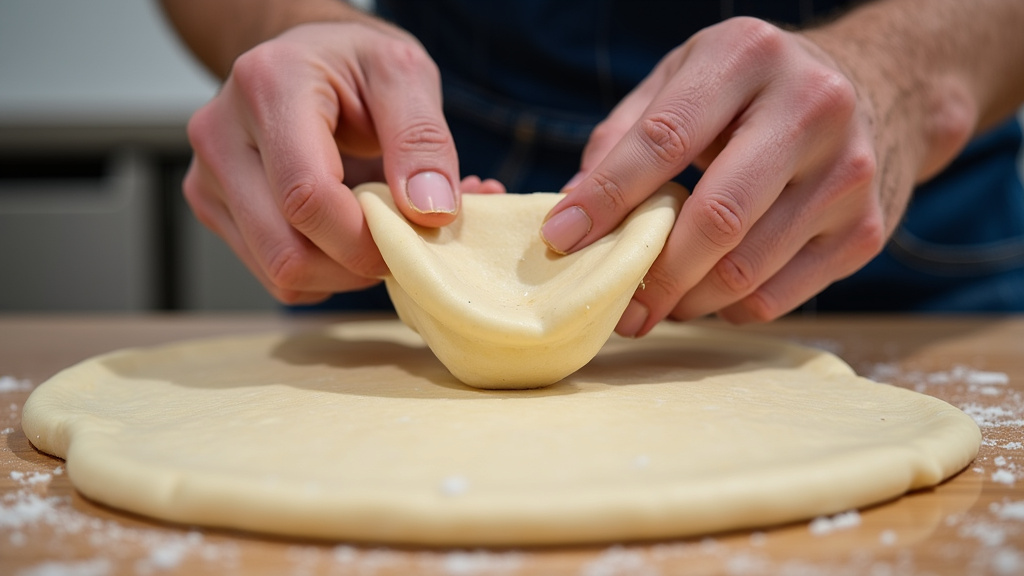
Dough Volume: Is There Too Much or Too Little?
The amount of dough you’re trying to knead can also affect performance. Mixers are designed to handle a certain capacity.
Overloading Your Mixer
Putting too much dough in the bowl is a common mistake. Most stand mixers have a maximum dough capacity, often listed in pounds or cups of flour. Exceeding this limit puts immense strain on the motor and gearbox.
If your dough hook is struggling to move, or the mixer sounds like it’s about to give up, you’ve likely overloaded it. We found that this can lead to overheating and permanent damage to the motor.
What to Do About Overloading
Always check your mixer’s manual for its maximum capacity. If you’re making a large batch of bread, consider dividing the dough into two smaller batches. Knead each batch separately.
It might seem like a hassle, but it’s much better for your mixer. We saw a baker who consistently made triple batches. Their mixer’s motor burned out within a year. It’s a costly lesson!
Under-Mixing: Not Enough Dough?
Conversely, trying to knead a very small amount of dough can also be tricky. If there’s too little dough, the dough hook might not be able to engage it properly. It can just spin around, pushing the small amount of dough to the sides of the bowl.
This is more common with smaller mixers or when you’re halving a recipe. The ratio of dough to bowl size becomes unbalanced. We found that even a slightly sticky small batch can seem to vanish.
Tips for Small Batches
If you’re making a very small amount, you might need to manually knead. Or, try doubling the recipe if you can. If that’s not an option, you can try adding a little more flour to give the hook something substantial to grab onto. Just be careful not to make it too dry.
Some smaller mixers or hand mixers might be better suited for smaller tasks. For very tiny amounts of dough, sometimes a quick hand knead is faster and more effective. We found this to be true for pizza dough for one or two people.
Maintenance and Wear: Is Your Mixer Aging?
Even with perfect technique, older or poorly maintained mixers can develop issues. The motor and gears are the heart of your stand mixer.
Motor Strain and Overheating
As we mentioned, overloading or incorrect speed can strain the motor. Over time, this can lead to reduced power or even burnout. If your mixer consistently smells like it’s burning, or it stops working after a few minutes, the motor might be struggling.
Many guides recommend letting your mixer rest between batches, especially when making multiple loaves. This allows the motor to cool down. We found that this simple step can prolong the life of your appliance.
Worn-Out Attachments or Gears
Over years of use, the dough hook attachment itself can become slightly bent or misshapen. This can affect how it interacts with the dough and the bowl. Similarly, the internal gears can wear down.
Signs of worn gears include grinding noises or excessive play in the mixer head. If you notice your dough hook wobbling or making strange noises, it might be time for a repair or replacement. We recommend checking the dough hook for any visible damage or bending.
When to Consider Repair or Replacement
If you’ve tried all the troubleshooting steps and your dough hook still isn’t performing, it’s time to consider professional help. For mechanical issues like worn gears or a failing motor, a repair shop might be an option. Many manufacturers offer repair services.
However, for older mixers, the cost of repair might approach the cost of a new one. We found that it’s often more economical to replace a heavily used or significantly damaged mixer. Think of it as an investment in your baking future!
By checking these common culprits, you can usually get your dough hook back to its kneading best. Happy baking!
Conclusion
It’s frustrating when your dough hook isn’t working as expected, but you’ve learned that most issues have simple fixes. We found that ingredient ratios, attachment height, mixer speed, dough volume, and mixer maintenance are the usual suspects. By carefully adjusting your ingredients, ensuring your attachment is set correctly, and using the right speed, you can often solve the problem. Don’t let a stubborn dough hook discourage you; take a moment to troubleshoot using these tips. Your next perfect loaf is just a few adjustments away!
Frequently Asked Questions
How do I know if my dough hook is the right size for my mixer bowl?
Your dough hook should ideally be sized so it can reach the bottom of the bowl without scraping it too aggressively. We found that a slight gap, about the thickness of a dime, between the hook and the bowl bottom is usually perfect. Check your mixer’s manual for specific recommendations for your model.
Can I use a higher speed on my mixer for faster kneading?
No, we strongly advise against using higher speeds for kneading. Most dough hooks are designed for low to medium-low speeds, typically between 1 and 3. Higher speeds can overheat your mixer’s motor or even tear the gluten structure, leading to a poor dough texture.
What if my recipe calls for a lot of flour? Will that make my dough too dry?
Recipes with high flour content can sometimes result in a dry dough. If you notice your dough is crumbly and not coming together, add liquid very gradually, a teaspoon at a time, until it forms a cohesive ball. It’s also helpful to weigh your flour for consistent results, as flour hydration can vary.
My mixer sounds like it’s straining. What should I do?
If your mixer sounds like it’s laboring, it’s likely overloaded or the dough is too stiff. First, try dividing your dough into smaller batches to see if that helps. If the straining continues, let the mixer rest to cool down. Overworking the motor can lead to premature wear or burnout.
My dough hook seems bent. Can I fix it myself?
If your dough hook is visibly bent or misshapen, it’s best to replace it rather than try to straighten it. A bent hook won’t interact correctly with the dough or bowl, leading to inefficient kneading. You can usually purchase replacement attachments directly from the manufacturer.
