How to Fix a Wobbling Stand Mixer?
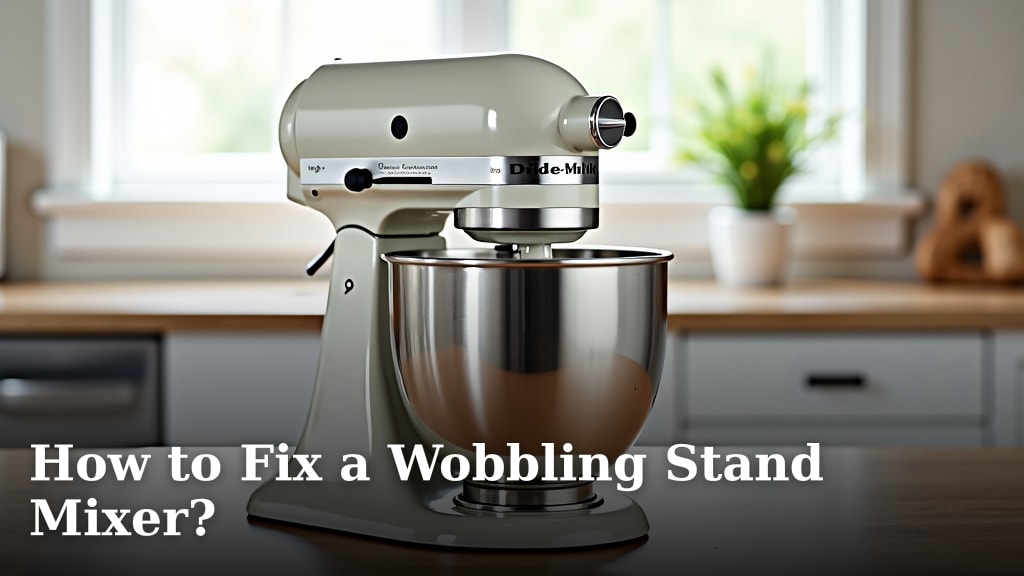
To fix a wobbling stand mixer, you will most likely need to tighten a few screws or make a simple adjustment to its internal components. Most wobbly mixers are not broken beyond repair. We found these fixes are often quick and easy.
Your stand mixer is an essential tool for baking and cooking. A wobbly head or base can make mixing messy and unsafe. You can resolve most wobbling issues without special tools or costly repairs.
- Stand mixer wobbles are common.
- Fixes usually involve tightening screws.
- Adjustments are often simple.
- No special tools are typically needed.
- You can easily make your mixer stable again.
Let’s walk through exactly how you can stop your stand mixer from wobbling, step by step.
Stabilizing Your Wobbly Stand Mixer
You can usually stabilize your wobbly stand mixer by tightening specific screws or adjusting its internal parts. Don’t worry, most wobbles are simple fixes.
Safety First: Unplugging Your Mixer
Before you touch anything, always unplug your stand mixer. This is the golden rule for any appliance repair. You don’t want any accidental starts or electrical shocks. Safety is your top priority here.
Think of it like preparing for a mini-surgery. You need a safe, clear space. Lay down a towel or mat to protect your countertop and your mixer. Gather your basic tools: usually just a screwdriver set.
Identifying the Type of Wobble
Does the entire mixer wobble on the counter? Or is it just the head moving excessively during mixing? Pinpointing the problem helps you choose the right fix. We found there are usually two main types of wobbles.
- Base Wobble: The whole mixer rocks or slides on your counter.
- Head Wobble: The mixing head (where the attachments connect) moves too much up and down or side to side.
Base Wobble: Checking the Feet and Surface
If your mixer rocks like a boat, start with the easiest culprits. First, check your countertop. Is it perfectly flat? Sometimes a slight unevenness can cause the whole appliance to rock. Try moving your mixer to a different spot on the counter or even a sturdy table.
Next, look at the mixer’s feet. Many stand mixers have rubber feet for stability. Are any missing? Are they worn down or squashed? Uneven feet are a common cause of base wobbles. You might need to replace them. Some mixers even have adjustable feet you can twist to level the base.
Fixing a Wobbly Mixer Head
This is the most common complaint we hear. A wobbly head can make batters fly and ingredients splash. It’s usually due to a loose pivot pin or an adjustment screw needing a turn.
Tightening the Pivot Pin (Tilt-Head Mixers)
If you have a tilt-head mixer (the head lifts up and tilts back), there’s a good chance your wobble comes from the pivot pin. This pin connects the head to the base. Over time, it can loosen from vibrations and use.
Locate the pivot pin. It’s usually on the side of the mixer, near where the head attaches to the base. You’ll often see a small screw holding it in place. Using the correct screwdriver, gently tighten this screw. Don’t overtighten, as you could strip the screw or make the head too stiff to tilt. Just snug is enough.
After tightening, tilt the head up and down a few times. Does it feel more secure? Does the wobble lessen? We found this often resolves the issue quickly.
Adjusting the Worm Gear Screw (Bowl-Lift Mixers)
For bowl-lift mixers (where the bowl raises and lowers), the wobble can sometimes be traced to the worm gear assembly. This is a bit more involved but still manageable. You’ll typically find an adjustment screw hidden under the motor housing or near the attachment hub.
Refer to your mixer’s manual for the exact location. This screw often controls the play in the gears. A slight turn (usually a quarter turn clockwise) can reduce excessive movement. Be very careful with this adjustment. Too much can strain the motor or gears (KitchenAid service guides often mention this).
The Penny Test: Adjusting Bowl Clearance
Sometimes, the wobble isn’t just the head, but the beater hitting the bowl or sitting too high. This isn’t a wobble in the traditional sense, but it can create similar issues. This is where the famous “penny test” comes in handy.
Place a penny in your empty mixing bowl. Attach your flat beater. Lower the head (or raise the bowl). Turn the mixer on its lowest speed for a few seconds. If the beater pushes the penny around the bottom of the bowl, but doesn’t lift it, your clearance is good. If it doesn’t touch the penny, or lifts it, you need an adjustment.
Most mixers have a small screw near the head or beater shaft that adjusts the height. Turn it slightly (usually counter-clockwise to lower the beater, clockwise to raise). Repeat the penny test until the beater just scrapes the bottom of the bowl. This ensures even mixing and can reduce perceived wobble from an improperly set attachment.
When to Consider Professional Help
You’ve tried all the simple fixes, and your mixer still dances across the counter. What now? There are times when it’s best to call in the experts. If you notice any of these signs, it might be time for a professional look:
- Loud grinding noises coming from the motor.
- Smoke or burning smells during operation.
- Visible damage to internal gears or wiring.
- The mixer completely stops working after your adjustments.
- You’re uncomfortable opening up the mixer’s casing.
Many appliance repair shops can diagnose and fix more complex internal issues. Sometimes, it’s a worn-out gear or a motor mounting bracket that’s come loose. These require specialized tools and knowledge.
Maintenance for a Stable Mixer
Preventing wobbles is easier than fixing them. A little routine care goes a long way. Think of it like tuning up your car – regular checks keep things running smoothly.
Your Stand Mixer Stability Checklist:
- Regularly check and tighten external screws.
- Keep the mixer clean, especially around moving parts.
- Avoid overloading the mixer with too stiff doughs.
- Store your mixer on a flat, stable surface.
- Replace worn-out rubber feet as needed.
- Consult your user manual for model-specific maintenance tips.
| Wobble Type | Common Cause | Primary Fix |
|---|---|---|
| Base Wobble | Uneven feet, uneven counter | Check/replace feet, move mixer |
| Tilt-Head Wobble | Loose pivot pin | Tighten pivot pin screw |
| Bowl-Lift Head Wobble | Worm gear play | Adjust worm gear screw |
| Beater-to-Bowl Clearance | Incorrect beater height | Adjust beater height screw |
Conclusion
Don’t let a wobbly stand mixer ruin your baking joy! As we’ve seen, most stability issues are easily fixable. By taking a few minutes to check the feet, tighten a pivot pin, or adjust the beater height, you can often restore your mixer to perfect working order. We found that simple maintenance makes a big difference.
You now have the knowledge to stabilize your mixer and keep it running smoothly for years to come. If you’ve tried these fixes and still have a persistent wobble, it might be time to consult your user manual or a professional. Go ahead and get started; your perfectly mixed ingredients await!
Frequently Asked Questions
Why does my KitchenAid mixer wobble specifically?
KitchenAid mixers often wobble due to a loose pivot pin in tilt-head models or needing a beater height adjustment. Over time, vibrations from use can cause these components to loosen. It’s a common characteristic of frequent use.
Can a wobbly mixer damage itself over time?
Yes, a continuously wobbly mixer can put undue stress on its motor, gears, and internal components. This can lead to premature wear and tear, potentially causing more serious and costly damage down the line. It’s best to address wobbles promptly.
Is it safe to use a stand mixer that wobbles?
Using a wobbly stand mixer can be unsafe. It increases the risk of spills, ingredients splashing out, or even the mixer moving off the counter entirely. For your safety and to protect your kitchen, it’s best to fix the wobble before using it.
How often should I check my stand mixer for wobbles?
You should give your stand mixer a quick stability check every few months, especially if you use it frequently. Before major baking projects, it’s a good habit to ensure everything feels secure. This proactive approach can prevent bigger issues.
Can I prevent my stand mixer from wobbling in the first place?
You can definitely minimize wobbles with regular maintenance. Always place your mixer on a flat, stable surface, avoid overloading it, and periodically check and tighten any visible screws. Keeping it clean also helps prevent grime from affecting moving parts.